

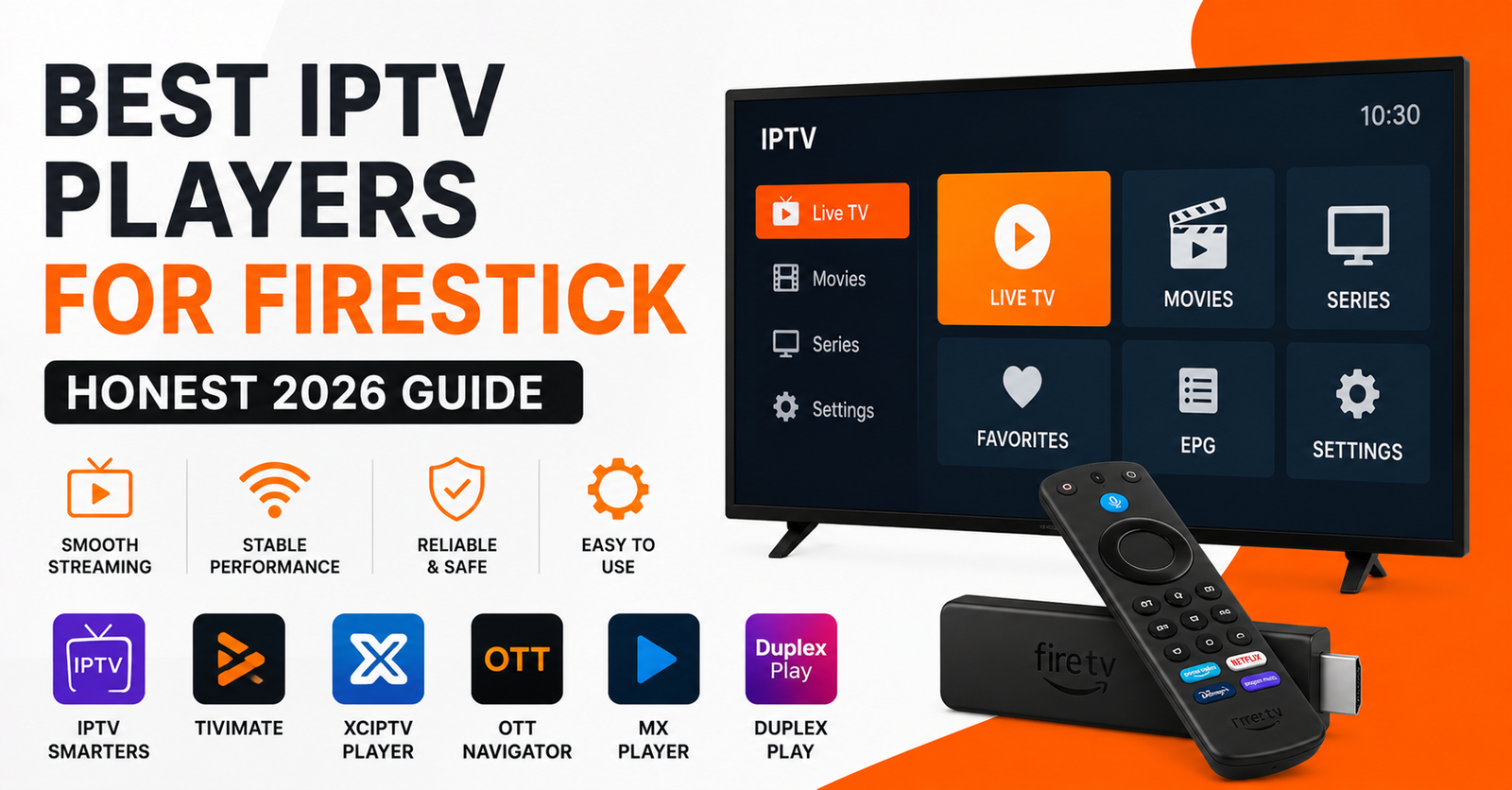
Most people install the wrong player first. They grab whatever sits at the top of the Amazon Appstore, sideload it onto a £35 stick, and then blame their subscription when everything stutters during the second half of a match. Nine times out of ten the subscription was fine. The player was the bottleneck, or the hardware was, or both were fighting each other.
That gap between “it played a YouTube clip fine” and “it choked on a 50-channel playlist at 8pm on a Saturday” is where this whole topic lives. The best IPTV players for Firestick aren’t the prettiest or the most downloaded. They’re the ones that survive a cluttered device, a weak router, and a long M3U list without falling over. I’ve watched the same hardware behave completely differently depending on which app was loaded onto it.
So this isn’t a ranked list of logos. It’s what I’ve actually seen hold up.
The Firestick Problem Nobody Mentions First
Before any player matters, understand what you’re working with. A standard Fire TV Stick has limited RAM and a modest processor. The older HD models and the cheapest Lite versions are tighter still. When an IPTV player has to decode a stream, render a 300-item channel guide, and keep a buffer filled all at once, RAM is usually what runs out first.
This is why two people with identical subscriptions get wildly different results. One’s on a Fire TV Stick 4K Max with headroom to spare. The other’s on a three-year-old stick with twelve other apps installed and a launcher full of ads eating memory in the background.
Pro Tip: Before judging any IPTV player, hold the Home button, go to background apps, and force-stop everything. Then reboot the stick fully. A surprising number of “buffering” complaints vanish after a clean restart, because the player finally has the RAM it was designed to use.
The player you choose matters. But it’s the second variable, not the first.
What Separates a Good Player From a Pretty One
A few things actually decide whether a player works on Firestick hardware, and most download-count rankings ignore all of them.
- EPG handling. Some players load the full electronic programme guide into memory at once. On a weak stick, that’s where the freeze happens, not during playback.
- Buffer control. The good ones let you set buffer size manually. Cheap or locked-down players don’t, so you’re stuck with whatever default the developer guessed at.
- Codec support. H.265/HEVC and proper audio passthrough matter if your provider streams in those formats. A player without them transcodes badly or just drops the channel.
- Remote responsiveness. The Firestick remote has no number pad and limited buttons. A player that wasn’t built around that remote becomes painful within a week.
- Stability under a long playlist. A player that handles 50 channels can completely fall apart at 5,000. This is the single most common thing testers never check.
Notice that none of these show up on a screenshot. You only find them by living with the app.
The Players Worth Your Time
Here’s how the realistic field looks in 2026. I’ve grouped them by what they’re actually good at rather than pretending one app wins everything.
| Player | Strongest at | Weak spot | Best for |
|---|---|---|---|
| TiviMate | EPG, recordings, polish | Premium tier needed for full use | Anyone who watches daily |
| IPTV Smarters Pro | Easy setup, multi-format | Heavier on weak sticks | Beginners |
| Sparkle / OTT players | Lightweight, fast | Fewer features | Older Firestick HD |
| XCIU (XCloud) | Stable on big playlists | Plainer interface | Resellers testing lines |
| Kodi + PVR add-on | Total customisation | Steep learning curve | Tinkerers |
TiviMate: still the one to beat
If your stick can handle it, TiviMate remains the most complete experience on Firestick. The guide is genuinely usable, catch-up and recording work, and the interface was clearly built by people who use a TV remote daily. The free version is fine for a single playlist; the premium unlock is what most committed users end up buying.
The honest caveat: on a base Fire TV Stick with little RAM, TiviMate’s rich interface can feel sluggish. It rewards better hardware.
IPTV Smarters Pro: the safe first install
For someone setting up their first line, Smarters is the path of least resistance. It accepts Xtream Codes logins and M3U URLs, the layout is obvious, and there’s nothing to configure before something appears on screen. It’s not the lightest app, but it gets people watching fastest.
Pro Tip: If you run an IPTV reseller panel and provide setup help to customers, standardise on one player for your support docs. Every reseller I know who lets customers pick “any app they like” ends up doing triple the support work, because half the tickets are really player quirks, not line problems. Pick one, document it once, and your churn from setup frustration drops noticeably.
The lightweight options people forget
On an ageing Firestick, the feature-rich players are the problem, not the solution. A stripped-back OTT-style player or a simple M3U player will often run smoothly where TiviMate stutters. Fewer features, far less memory pressure. For a spare bedroom stick or an older device, this is the smarter trade.
Why Your Player Choice Affects Buffering More Than You Think
People assume buffering is always a server or internet issue. Often it’s the player mishandling the buffer on constrained hardware.
A stream arrives in chunks. The player stores a few seconds ahead so playback stays smooth while the next chunk downloads. Set that buffer too small and any tiny network hiccup causes a stall. Too large and a weak stick runs out of memory trying to hold it.
The players that let you tune this manually are the ones that survive a bad Wi-Fi night. Default-only players give you no lever to pull.
Pro Tip: On a wobbly connection, increasing buffer length slightly trades a second or two of startup delay for far fewer mid-stream freezes. Most people instinctively want zero delay and end up with constant stutters instead. A two-second wait beats a stutter every ninety seconds.
After reviewing a long run of support requests across reseller setups, a clear pattern showed: roughly the same handful of players generated most “it keeps freezing” tickets, and they were almost always the ones with no manual buffer control on under-powered sticks.
What Goes Wrong Most Often (And the Quick Fix)
A step-by-step for the usual mess:
- Clean the stick. Uninstall players you’re not using. Each one can run background services that quietly eat RAM.
- Use a wired-quality connection. If the stick supports an Ethernet adapter, use it. Wi-Fi on the 2.4GHz band during a busy evening is a common hidden cause of stutter.
- Set the buffer deliberately. In whichever player you chose, find buffer settings and nudge them up if you’re seeing freezes.
- Match the EPG to your provider. A mismatched or oversized guide URL slows loading dramatically on weak hardware.
- Reboot fully, not just back-out. Pulling power for ten seconds clears more than backing out of the app does.
I’ve watched a “broken” setup come fully back to life with nothing more than steps one and five. No new subscription, no new player. Just memory that was finally free.
The Reseller Angle: Players Are a Support Problem
If you operate on the supply side rather than just watching, player choice stops being a personal preference and becomes a business cost.
Every IPTV reseller eventually learns that the player customers use drives ticket volume. A panel owner who hands out lines with no guidance gets buried in complaints that have nothing to do with the actual service. The line works perfectly; the customer just installed something that fights their hardware.
The resellers who scale cleanly do something simple: they pick one recommended player, write one clear setup guide, and point every new customer to it. A credit reseller selling to less technical buyers especially benefits from this, because those buyers can’t diagnose a buffer setting on their own. Sub-resellers passing lines down the chain inherit the same support load, so standardising the player upward through the IPTV distribution network saves everyone time.
One reseller I worked with cut his setup-related tickets by more than half after he stopped letting customers improvise and started shipping a single-player install guide with every line. Nothing about the infrastructure changed. He just removed the variable that wasn’t his service. If you’re building out a UK IPTV reseller operation, treat the recommended player as part of the product, the same way you’d treat panel credits or uptime. There’s a reasonable rundown of provider-side reliability factors over at britishseller.co.uk that pairs well with locking down a single supported player.
Pro Tip: When onboarding a new sub-reseller, include your player recommendation in the same document as your pricing and credit rules. The IPTV operators who treat setup guidance as an afterthought always end up with the highest churn, because a customer who can’t get a clean picture in the first ten minutes rarely sticks around long enough to be convinced otherwise.
Hardware Pairings That Actually Make Sense
Quick reality check on which stick to pair with which player:
- Fire TV Stick 4K Max — runs anything. TiviMate with full EPG and recordings, no compromise.
- Fire TV Stick 4K — comfortable with TiviMate or Smarters; close other apps.
- Standard Fire TV Stick — favour lighter players or trim the EPG.
- Fire TV Stick Lite / older HD — go lightweight, period. Don’t fight it.
Buying a better stick is often cheaper than the hours you’ll lose fighting a £25 one.
Frequently Asked Questions
What are the best IPTV players for Firestick in 2026?
The best IPTV players for Firestick in 2026 are TiviMate for daily use, IPTV Smarters Pro for easy setup, and a lightweight OTT-style player for older devices. The right pick depends on your stick’s RAM more than on any feature list, so match the player to your hardware first.
Are the best IPTV players for Firestick free?
Many of the best IPTV players for Firestick offer a free tier that works fine for a single playlist. TiviMate’s core is free, with a premium unlock for recordings and multiple playlists. Smarters is free to install. You’re paying for your subscription separately; the player itself often costs nothing to start.
Why does my IPTV player keep buffering on Firestick?
Usually it’s hardware or buffer settings, not the stream. A Firestick low on free RAM, a player with no manual buffer control, or a busy 2.4GHz Wi-Fi connection all cause stutter. Force-stop background apps, reboot the stick fully, and raise the buffer slightly before assuming the service is at fault.
Which player should resellers recommend to customers?
Resellers should standardise on one player, usually IPTV Smarters Pro for its simple setup, and document it clearly. A reseller who lets every customer improvise drives up support tickets that aren’t actually service faults. One recommended player and one setup guide cuts setup-related churn across the whole reseller chain.
Do I need a Fire TV Stick 4K for IPTV?
Not strictly, but it helps enormously. A 4K or 4K Max stick has the RAM to run feature-rich players smoothly. On a basic or Lite stick, you’ll get the best results from lighter players and a trimmed EPG. The hardware ceiling decides how demanding a player you can comfortably run.
How do I install an IPTV player not in the Amazon Appstore?
Enable developer options, allow apps from unknown sources, then use the Downloader app to fetch the APK from the developer’s official source. Sideloading is normal on Firestick. Stick to official download links, since unofficial APKs are a common source of malware and instability.
Can I run more than one IPTV player on the same Firestick?
You can, but it’s rarely worth it on weak hardware. Each installed player can run background services that consume RAM, which is exactly what causes buffering. Pick one, uninstall the rest, and you’ll usually get smoother playback than juggling several.
Execution Checklists
subscribers
- Identify your exact Firestick model before choosing a player
- Force-stop background apps and reboot fully before testing
- Install one player, not three
- Set the buffer manually if you see freezing
- Use Ethernet or 5GHz Wi-Fi where possible
- Trim or match your EPG URL to your provider
resellers
- Pick one recommended player and document its setup once
- Ship that guide with every new line you sell
- Separate “player issue” from “line issue” before troubleshooting
- Track which players generate the most support tickets
- Train customers on the full-reboot fix before they raise a ticket
sub-resellers
- Adopt the same recommended player as your panel owner
- Pass the setup guide downward unchanged to avoid version drift
- Flag recurring player complaints back up the chain
- Don’t promise device compatibility you haven’t tested yourself
The Bottom Line
The best IPTV players for Firestick aren’t a fixed list you memorise; they’re the result of matching the right app to the hardware in front of you. TiviMate wins on a capable stick, Smarters wins on simplicity, and a lightweight player wins on an old device that can’t handle anything heavier. Get that pairing right and most “buffering” problems disappear before you’ve touched your subscription.
The lesson worth keeping: on Firestick, the player is rarely the whole story but almost always part of it. Free up the memory, match the app to the stick, set your buffer with intention, and pick one player instead of five. Do that, and the hardware you already own will usually surprise you.
No matter which IPTV player you choose, your streaming is only as good as your provider. To get the absolute most out of your setup, you need a stable, high-speed line. Check out our Premium UK IPTV Subscription Plans today—fully optimized to support every major player with zero freezing!