

There is no single “best VPN for IPTV UK” that suits everyone, because the right choice depends on your priorities: consistent speed for streaming, a genuine no-logs policy, strong encryption, and support for the device you actually use. What matters more than any brand name is a short list of technical features: enough server capacity to avoid slowdowns, a working kill switch, and clear terms about what the provider does with your connection data. The rest of this guide breaks down exactly how to evaluate a VPN for IPTV use, what to watch for, and where people commonly get it wrong.
Why People Pair a VPN With IPTV in the First Place
Most people looking into a VPN alongside an IPTV subscription care about one of three things: keeping their connection private from their internet provider, protecting their data on shared or public networks, and adding a layer of security around their home streaming setup. A VPN encrypts the traffic between your device and the VPN server, which means your ISP can see that you’re connected to a VPN, but not the specifics of what’s flowing through it in the same way it could without one.
It’s worth being honest about what a VPN does not do. It does not change who owns the rights to any content you stream, and it does not turn an unlicensed source into a licensed one. If a service or channel isn’t authorised for the way it’s being distributed, running it through a VPN doesn’t alter that. Anyone evaluating IPTV subscription UK options should look at the provider’s transparency and content rights, not just whether a VPN is bundled in.
What Actually Affects Streaming Performance
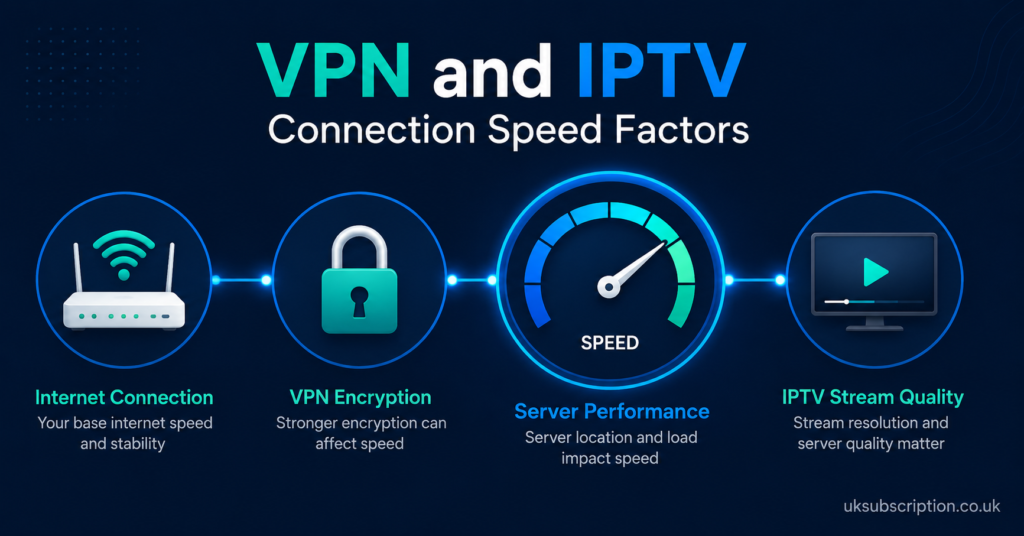
Buffering during a live match or a dropped connection mid-episode is usually down to one of a handful of causes, and a VPN sits in that mix rather than above it. Your base broadband speed matters most. A VPN adds encryption overhead, and on a slower connection that overhead is more noticeable. Server load on the VPN provider’s end matters too, since an overcrowded server slows everyone connected to it.
Home network conditions play a role as well. Wi-Fi congestion, an ageing router, or several devices competing for bandwidth at once can look identical to a VPN-related slowdown even when the VPN isn’t the cause. Before assuming a VPN is the problem or the solution, it helps to test your connection speed with and without it running, at different times of day.
Core Features Worth Checking Before You Choose
A handful of technical features separate a VPN that genuinely helps from one that just adds friction. Encryption standard matters, with AES-256 being the accepted baseline most reputable providers use. A kill switch, which cuts your internet connection if the VPN drops rather than leaving you exposed, is worth confirming exists and actually works on your device.
No-logs policies vary in how meaningfully they’re enforced. Some providers have had their claims independently audited; others simply state a policy without third-party verification. Jurisdiction matters too, since where a VPN company is legally based affects what data-sharing obligations it might face. None of this is exciting to read, but it’s the difference between a VPN that does what it claims and one that only sounds like it does.
| Feature to Check | Why It Matters |
|---|---|
| Encryption standard | Determines how well your traffic is actually protected |
| Kill switch | Stops unprotected data leaking if the VPN connection drops |
| Independently audited no-logs policy | Gives more confidence than a policy statement alone |
| Server count and location spread | Affects congestion and connection speed |
| Device and router support | Determines whether it covers your actual setup, not just a phone |
Pro tip: Run a short speed test on the VPN server you plan to use before committing to a long subscription, since advertised speeds and real-world performance on a specific server can differ noticeably.
Device Compatibility for IPTV Setups
IPTV is watched across a wide range of hardware, from Firestick and Android TV boxes to Smart TVs, phones and dedicated set-top boxes, and not every VPN app supports all of them equally. Some VPN providers offer a native app for Android TV or Fire TV. Others only support phones and computers directly, which means covering a Smart TV requires configuring the VPN at the router level instead, so every device on the home network is covered at once.
Router-level VPN setup is more technical and not something every provider makes straightforward. If your main viewing device is a Smart TV without native VPN app support, checking whether router configuration is realistically achievable, rather than just theoretically possible, will save frustration later.
Pro tip: If you’re setting up IPTV on a Firestick, check the VPN provider’s own setup documentation for that specific device before buying, rather than assuming general instructions will transfer across.
Common Mistakes People Make When Choosing a VPN
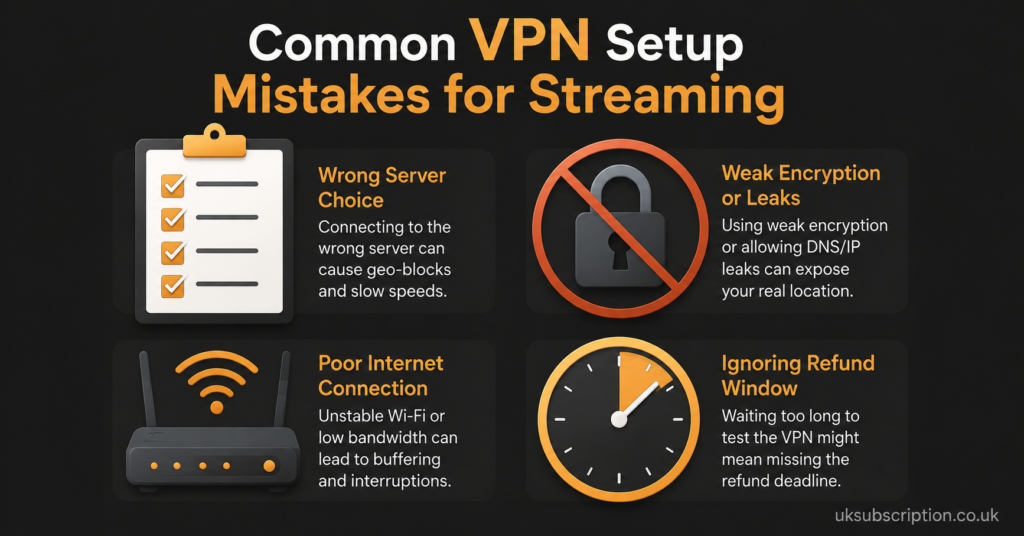
A few patterns come up repeatedly. People pick the cheapest available plan without checking server count, then find performance inconsistent during peak evening hours. Others assume a free VPN offers the same privacy protection as a paid one, when free services often fund themselves through data collection or advertising, which works against the privacy reason for using one at all.
Another common mistake is not testing the refund window before committing to a long-term plan. Most reputable VPN providers offer a trial period or money-back guarantee, and using it to test real-world speed on your own connection, rather than trusting marketing claims, is a more reliable approach than reading reviews alone.
| Mistake | Better Approach |
|---|---|
| Choosing the cheapest plan without checking server load | Test speed on a trial period before committing |
| Using a free VPN for privacy reasons | Compare data policies, since free tiers often monetise usage data |
| Assuming one app covers every device | Confirm native support for the specific device the IPTV service runs on |
| Skipping the refund window | Use the trial period to test your actual connection, not just reviews |
How This Looks Different for Subscribers, Resellers and Sub-Resellers
Subscribers
For an individual watching through a provider such as britishseller.co.uk, or any comparable IPTV service, the priority is usually straightforward: a stable connection that doesn’t add noticeable lag, and confidence that your browsing and viewing data isn’t being logged and sold on. Checking device support before subscribing to a VPN, rather than after, avoids the common scenario of paying for a plan that doesn’t actually cover your Smart TV.
Resellers
Anyone running a UK IPTV reseller panel and supporting customers across different regions and devices has a slightly different concern: consistency across a broad range of setups. If customers are asking about connection stability, being able to explain the difference between a VPN issue, a home network issue, and a panel or server issue helps resolve support tickets faster and reduces repeat contact. Documenting a basic troubleshooting sequence for customers, rather than solving each case from scratch, saves real time as a customer base grows.
Sub-Resellers
Sub-resellers typically don’t control server infrastructure or panel-level settings, so their role is more about setting realistic expectations with end customers. If a parent reseller’s servers experience congestion during a busy period, a VPN on the customer’s end won’t resolve that, and explaining this distinction upfront avoids customers wrongly blaming their own VPN choice for a problem that sits further up the chain.
Questions Worth Asking Before You Commit
| Question to Ask | Why It Matters |
|---|---|
| Is the no-logs policy independently audited? | Verifies the claim rather than just trusting a statement |
| What’s the refund or trial window? | Lets you test real performance on your own connection |
| Does the app support my specific device? | Avoids paying for coverage you can’t actually use |
| How many servers are in UK-relevant locations? | Affects congestion and consistency during peak hours |
Pro tip: Ask a provider’s support team a specific technical question, such as whether they support router-level configuration, before subscribing. How clearly and quickly they answer tells you more about ongoing support quality than their marketing page does.
A Note on Legitimate Access
IPTV is a delivery method, not a content licence. Whether a specific stream is properly authorised depends on the rights held by whoever is distributing it, not on the network technology used to deliver it or whether a VPN sits in the connection path. When evaluating any IPTV provider, checking business transparency, clear terms of service, and realistic refund policies tells you more about legitimacy than any technical feature does.
If you’re researching IPTV UK options more broadly, resources like this plain guide to UK IPTV in 2026 cover the wider landscape for both viewers and resellers, while a field-tested look at sports-focused IPTV is useful if live sport is your main use case. For device-specific setup, this Firestick player guide walks through the most common configuration questions.
Visible FAQ Section
Do I need a VPN to use IPTV?
No. A VPN is not a requirement for IPTV to function. It’s an optional layer some people add for privacy and connection security, separate from whether the underlying service itself is properly licensed.
Will a VPN stop my IPTV stream from buffering?
Not necessarily. Buffering is usually caused by broadband speed, home network congestion, or server load on the provider’s end. A VPN can sometimes add its own overhead, so it isn’t a guaranteed fix and can occasionally make things slightly slower.
Can I use a VPN on a Firestick for IPTV?
Yes, most major VPN providers offer a native Firestick or Fire TV app, though it’s worth confirming this specifically before subscribing rather than assuming general Android compatibility covers it.
Is a free VPN good enough for IPTV?
Free VPNs often come with trade-offs, including slower speeds, data caps, or business models built around collecting user data, which can undermine the privacy reason for using one in the first place.
Does using a VPN make an IPTV service legal?
No. A VPN affects how your connection is routed and encrypted; it has no bearing on whether the content being streamed is properly licensed by whoever is distributing it.
How do I know if a VPN provider’s no-logs claim is genuine?
Look for providers that have undergone an independent third-party audit of their logging policy, rather than relying on a written statement alone.