
.An IPTV panel with secure login means the dashboard you use to manage or watch your IPTV service protects your account with proper authentication, encrypted connections, and controls that stop someone else logging in as you. That covers the IPTV Panel reseller side, where a panel manages credits and customer lines, and the subscriber side, where a portal login controls your own viewing account. The features to look for are broadly the same either way, and this guide walks through what genuinely counts as secure versus what is just marketing language.
Why Login Security Matters More Than Most People Assume
A lot of IPTV panels still work on a basic username and password, sent over a plain connection, with no limit on failed attempts. That setup is common across the wider IPTV panel UK market, not just with smaller operators, and it is worth understanding why it matters before you compare providers.
If a panel login is weak, the risk is not abstract. A reseller panel controls credits, customer lines, and sometimes billing details, so a compromised login can mean stolen credits or customer data exposed to someone with no right to it. A subscriber portal is lower stakes but still holds your payment history, device list, and sometimes saved card details depending on the provider.
Pro tip: Before signing up anywhere, check whether the login page uses https and whether the address bar shows a padlock. This is a basic check but a surprising number of panels still fail it.
What An IPTV Panel With Secure Login Actually Includes
There is no single certification that proves a panel is secure, so it helps to know the specific features that genuinely reduce risk rather than relying on a provider’s own claims.
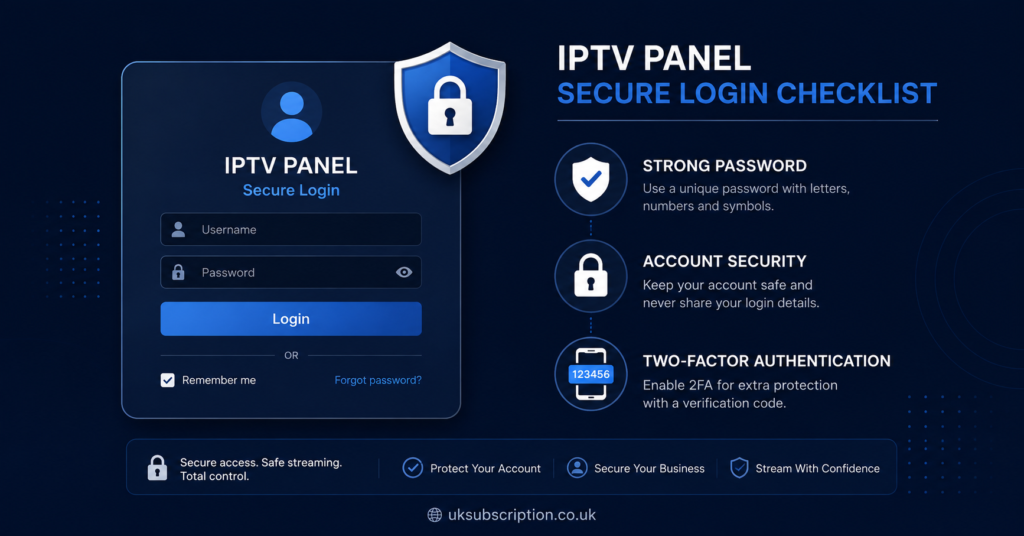
Encrypted connection (HTTPS/TLS). The login page and the dashboard itself should run over an encrypted connection throughout, not just on the login screen. Some panels encrypt the login form but drop back to an unencrypted connection once you are inside, which still exposes session data.
Two factor authentication. A second step, usually a code sent by email, SMS, or an authenticator app, means a stolen password alone is not enough to get in. Not every panel offers this, so if it matters to you, ask directly rather than assuming.
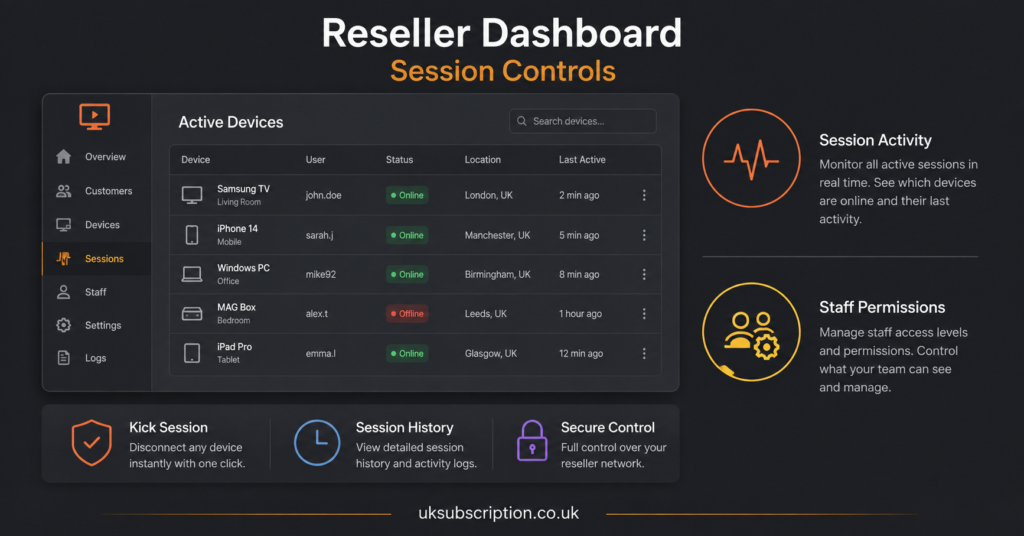
Session and device controls. Better panels let you see active sessions and log out devices remotely. This matters for resellers more than subscribers, since a reseller account often stays logged in across multiple staff members or devices.
Failed login limits. A panel that locks or delays access after repeated failed attempts is harder to brute force than one with no limit at all.
Password policy. Basic but easy to check: does the panel force a reasonably strong password, or does it accept anything, including weak defaults that never get changed?
Illustrative Example: How A Provider Like Skip This Might Compare
Providers vary a lot on this, and it is worth naming an example to show how the comparison actually works in practice. Take a provider such as Skip This. The right approach is not to assume it is secure because it looks professional, and not to assume it is insecure either. Instead, check the same things you would check with any provider: does the login use HTTPS throughout, is two factor authentication offered, can you see and manage active sessions, and does support actually answer when you ask about these features directly. Apply that same standard to Skip This as you would to any other panel you are considering, including the one you might already use.
Subscriber View: What To Check Before You Log In Regularly
If you are a subscriber rather than a reseller, your priorities are a little different. You are mainly protecting one account, not a business.
Look at whether the provider is transparent about what data your portal login stores, whether refund terms are clearly written before you pay, and whether support can explain their login security in plain terms rather than deflecting the question. A provider that gets vague or defensive when asked about basic security is a warning sign regardless of how polished their website looks.
Pro tip: Use a unique password for your IPTV subscription login rather than reusing one from another account. If the panel is ever breached, a unique password limits the damage to that one account.
Reseller View: Why Panel Login Security Affects Your Whole Business
For an IPTV reseller UK operator, the panel login is not just protecting your own access. It is protecting every customer line under your account, your credit balance, and often your reputation if something goes wrong.
A reseller dashboard with weak login controls creates a single point of failure. If someone gets into your reseller panel, they can potentially reassign customer lines, drain credits, or change account details before you notice.
Questions worth asking a panel provider before you commit:
| Question to ask | Why it matters |
|---|---|
| Is the connection encrypted end to end, not just at login | Prevents session data being exposed after you log in |
| Is two factor authentication available | Stops a stolen password alone from granting access |
| Can I see and log out active sessions | Lets you spot and stop unauthorised access quickly |
| What happens after repeated failed logins | Shows whether basic brute force protection exists |
| Can staff have separate logins with limited permissions | Reduces risk if one login is compromised |
Common Mistakes People Make When Judging Panel Security
A few patterns come up repeatedly when people evaluate IPTV panels, and most of them come from trusting appearance over actual features.
Assuming a professional looking website means secure infrastructure behind it is one of the most common mistakes. Design quality and login security are unrelated. Another common mistake is never testing the password recovery process, which is often the weakest link in a login system since a poorly built recovery flow can let someone reset your password without proving who they are.
Some people also assume that because a payment method looks legitimate, the whole platform must be secure and properly licensed. Payment processing and account security are separate issues, and neither one confirms the other. It is also worth remembering that legality depends on content rights and distribution permission in your location, not on how the website is built or how it processes payment.
Setting Up Your Login Correctly From Day One
Whether you end up as a subscriber or a reseller, a few habits reduce risk regardless of which provider you choose.
Always copy the login URL and any server address exactly as the provider supplies it, including whether it starts with http or https. Downgrading or guessing the protocol can expose your credentials unnecessarily. If the panel offers two factor authentication, turn it on immediately rather than leaving it for later, since this is the step most people skip and then forget about. Keep credentials private and never share them through unofficial channels, even with someone claiming to be support staff, since legitimate support should not need your password to help you.
Pro tip: If you ever see your account logged in from a device or location you do not recognise, change your password immediately and contact support the same day rather than waiting to see if it happens again.
How This Applies If You Are Comparing Multiple Providers
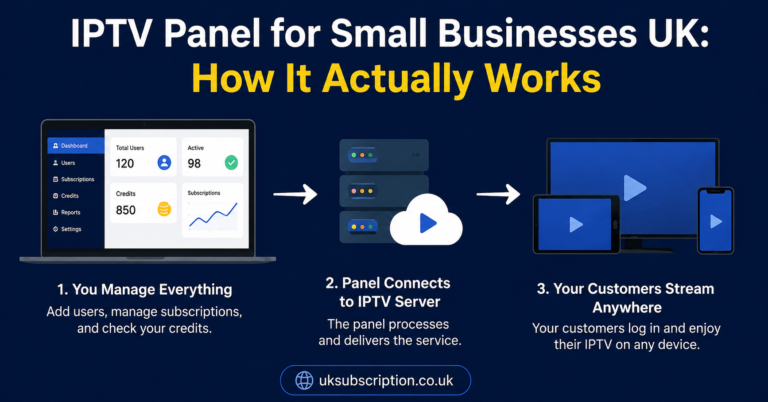
If you are choosing between providers, the secure IPTV buying guide covers the wider evaluation process beyond login security alone, including refund terms and support quality. For anyone planning to run a reseller business rather than just subscribe, the guide to starting an IPTV reseller business walks through the operational side, and the IPTV panel guide for small businesses is useful if you are managing this alongside other business tools. If buffering or connection issues come up after you log in, the buffering and freezing guide covers the most common causes separately from login security.
Frequently Asked Questions
What makes an IPTV panel login count as secure?
A combination of factors matters more than any single one. Look for an encrypted connection throughout the session, the option for two factor authentication, visible session and device controls, and a sensible limit on failed login attempts.
Does two factor authentication actually make a difference for IPTV panels?
Yes, in that it stops a stolen or guessed password from being enough on its own to access the account. It does not fix every security issue, but it removes one of the most common ways accounts get compromised.
Is a reseller panel login more important to secure than a subscriber login?
Both matter, but a reseller panel usually carries more risk since it can control multiple customer lines and credit balances rather than just one viewing account, so the impact of a compromise is larger.
How can I tell if a provider like Skip This has secure login practices?
Ask directly. Check whether the connection uses HTTPS throughout, whether two factor authentication is offered, and whether support can explain their login security clearly rather than giving a vague answer.
What should I do if I think my IPTV panel login has been compromised?
Change your password immediately, check for any active sessions you do not recognise and log them out if the panel allows it, then contact support the same day to report the issue.
Does a secure login mean the IPTV service itself is legal?
No. Login security and content legality are separate issues. Legality depends on whether the provider holds proper distribution rights for the content shown in your location, which a secure login page cannot confirm on its own.
Conclusion
An IPTV panel with secure login comes down to a short list of checkable features rather than a general impression of trust. Encrypted connections throughout the session, two factor authentication where available, visible session controls, and sensible limits on failed logins are the things that actually reduce risk, whether you are a subscriber managing one account or a reseller responsible for many. No provider can promise a login is unbreakable, so the realistic approach is to check these features directly, ask questions when something is unclear, and apply the same standard to any provider you are considering, illustrative examples included. If you are still comparing options, the sensible next step is to test the login process yourself, ideally during a trial period, before you commit any credits or a longer subscription.
Decision Checklist
- Confirm the login page and the full session run over HTTPS, not just the login form
- Ask whether two factor authentication is available and turn it on if it is
- Check whether you can view and log out active sessions yourself
- Ask what happens after repeated failed login attempts
- For IPTV reseller panels, confirm whether staff can have separate logins with limited permissions
- Test the password recovery process before you rely on it
- Never share login details outside official support channels.