
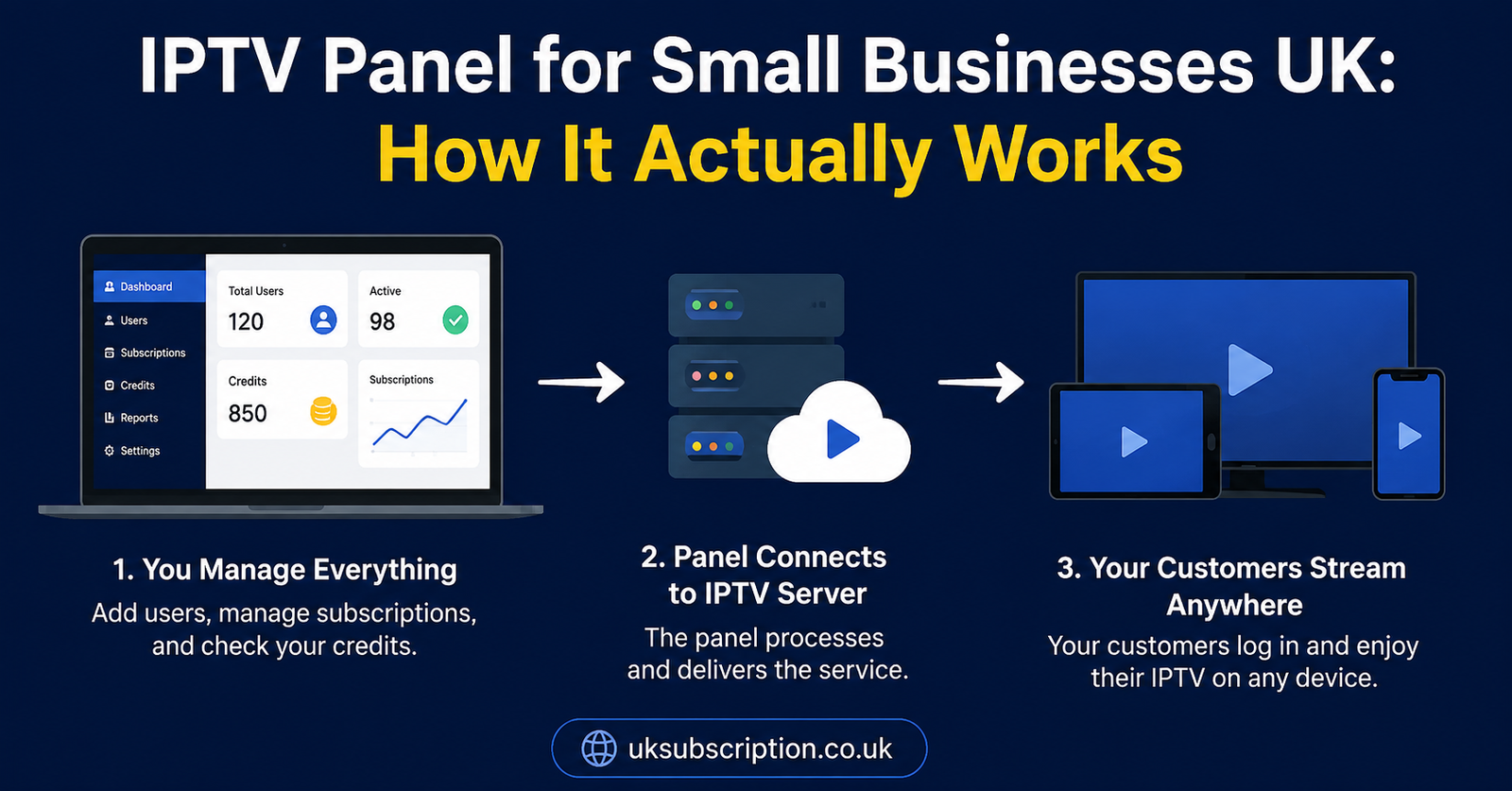
An IPTV panel for small businesses is a dashboard that lets a company manage IPTV subscriptions for multiple end users or locations from one place, rather than juggling separate logins for each customer or screen. It’s typically bought as a UK IPTV reseller or bulk management tool, using credits instead of individual monthly bills, and it works alongside whichever apps your customers already use to watch. Whether it’s worth having depends on how many connections you’re managing and how much support your customers will need.
What an IPTV panel for small businesses actually does
Strip away the marketing language and a panel is fairly simple: it’s an admin dashboard sitting in front of an IPTV provider’s server infrastructure. Instead of contacting a provider every time you need a new line activated, extended, or renewed, you log into the panel and do it yourself. For a small business, that usually means one of two things — you’re managing IPTV access across several screens in your own venue (a pub, gym, or waiting room, for example), or you’re reselling IPTV subscription UK access to your own customer base as a side business or full offering.
The panel itself doesn’t stream anything. It sits between you and the underlying servers, and its job is account management: creating logins, setting expiry dates, tracking who’s active, and in most cases showing you how many credits you have left to spend. The actual viewing experience — channel quality, buffering, app stability — depends on the infrastructure behind the panel, not the panel’s interface.
Pro tip: Before signing up with any panel, ask to see the dashboard itself, even a screenshot or short walkthrough. A cluttered, confusing panel will slow down every renewal and support ticket you handle later.
Why small businesses look at IPTV panels in the first place
Two fairly different groups end up searching for this. The first is businesses that want IPTV running across multiple screens on their own premises — think a barbershop with three TVs, or a small hotel with IPTV in each room — and want one login to manage all of them instead of separate consumer accounts. The second is people starting or running a small IPTV reseller business, buying access in bulk through a panel and selling individual subscriptions on to customers.
The commercial logic differs slightly between the two. A business managing its own screens is optimising for reliability and low admin overhead. Both groups need to understand the same underlying mechanics before committing money.
How reseller and management panels are structured
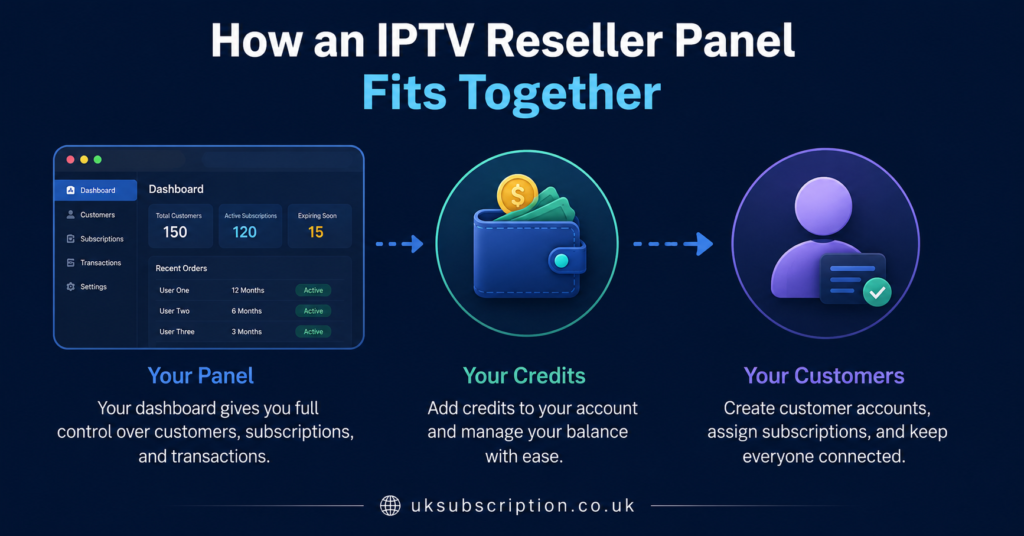
Most IPTV panel UK setups run on a credit system rather than a subscription per customer billing model. You buy a batch of credits upfront, and each credit typically activates one connection for a set period, often a month. When a customer’s line needs renewing, you spend another credit rather than raising a new invoice. This is worth understanding early because it changes how you budget you’re pre paying for capacity rather than paying as revenue comes in.
The reseller dashboard usually lets you see active and expired accounts, generate new logins, extend existing ones, and sometimes assign different channel packages to different customers. Some panels include basic reporting, though the depth of that reporting varies a lot between providers, so it’s worth checking exactly what’s included rather than assuming.
What to check before choosing a panel
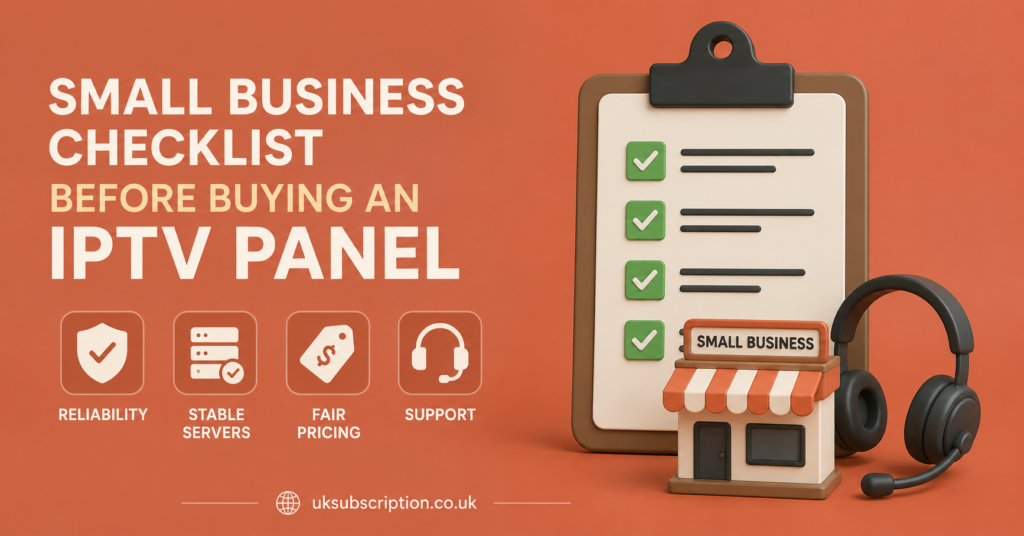
Not every panel is built to the same standard, and the marketing pages rarely tell you much about day to day reliability. Rather than taking claims at face value, it helps to have a short list of direct questions ready before you commit any money.
| Question to ask | Why it matters |
|---|---|
| Do credits expire, and after how long? | Unused credits with a short expiry can quietly cost you money if customer growth is slower than planned |
| What happens if a server goes down? | Determines whether you’re stuck explaining outages to your own customers with no information |
| Is there a minimum order size? | Affects how much cash you need to commit before you’ve tested demand |
| How is support handled for resellers specifically? | Some providers deprioritise reseller queries compared with direct subscribers |
| Can customers be moved between packages easily? | Matters if you expect to upsell or downgrade customers over time |
Pro tip: Ask a provider directly what their process is when a server has an outage, rather than assuming the marketing page’s uptime language applies to every server location equally. Vague answers here are a warning sign.
Device and app compatibility for your customers
Whatever panel sits behind the scenes, your customers still need a way to actually watch. Most IPTV panels are compatible with common third party players such as TiviMate or GSE Smart IPTV on Android based devices, and many providers also offer their own branded apps for Firestick, Android TV, or Windows. Support for Apple devices and smart TVs varies more between providers, so if a meaningful share of your customer base is on iOS or a specific TV brand, confirm compatibility before you buy credits rather than after.
This matters more for a small business than it might first appear. If you’re reselling, every device query becomes a support ticket you have to handle, and unclear app instructions from the underlying provider become your problem to solve, not theirs. If you’re running IPTV across your own premises, mismatched device support can mean buying extra streaming boxes just to get a consistent experience across every screen.
Support, documentation and how escalation actually works
Support quality is one of the hardest things to judge from a sales page, because every provider claims to be fast and responsive. What’s more useful is understanding the structure behind that support. Is there a dedicated reseller support channel separate from general customer queries? Is documentation available so you can solve simple issues yourself instead of waiting? And critically, what’s the actual escalation path when something goes wrong that you can’t fix — a direct contact, a ticket queue, or nothing beyond a generic inbox?
For a small business, this isn’t a minor detail. If you’re managing even a modest number of customer accounts, you’ll eventually need a fast answer to something you can’t resolve alone, and the gap between providers here can be significant.
Common mistakes small businesses make with IPTV panels
A handful of avoidable mistakes come up repeatedly with people setting up a panel for the first time, whether they’re managing internal screens or reselling.
| Mistake | Better approach |
|---|---|
| Buying a large credit batch before testing with a small one | Start with the minimum order, confirm reliability, then scale up |
| Assuming all devices are equally supported | Confirm compatibility for your specific customer base’s devices first |
| Treating the panel provider and the underlying content as the same guarantee | Evaluate infrastructure reliability and content rights separately |
| Skipping refund and cancellation terms | Read them before paying, not after a problem occurs |
| Underestimating support workload | Budget real time for handling customer queries, especially early on |
Pro tip: Keep a simple record of which credits were spent on which customer and when. It sounds basic, but it’s the fastest way to spot renewal patterns and avoid running out of credits at an inconvenient moment.
For resellers: what changes as you grow
Once a small reseller operation grows past a handful of customers, the priorities shift toward things that don’t matter much at a small scale: how quickly you can bulk renew accounts, whether the panel supports branded apps under your own name, and how much visibility you have into which customers are close to expiry. Some panels only unlock these features once you’ve bought a certain volume of credits, so it’s worth checking the threshold in advance rather than discovering it later.
For sub resellers: extra considerations
If you’re operating as a sub reseller under someone else’s parent account rather than buying directly, your risk profile is different. You’re dependent on the parent reseller’s relationship with the underlying provider staying stable, and you typically have less direct visibility into infrastructure decisions.
Where content legality fits into the decision
IPTV is a delivery technology, not a content licence in itself. A professional looking dashboard, a working payment system, or fast support don’t tell you anything about content rights on their own. If you’re building a business around reselling access, it’s worth asking a provider directly about their content sourcing and being cautious of vague or evasive answers.
Looking at a provider as an example
To make this concrete: a provider like Skip This might present itself with a panel, credit system, and reseller dashboard broadly similar to what’s described above. The same evaluation questions apply regardless of which provider you’re looking at — expiry terms on credits, support structure, device compatibility, and transparency about infrastructure and content sourcing.
If you’re weighing up whether a panel makes sense for your business at all, it can help to read a broader explainer first, such as how to start an IPTV reseller business, before comparing specific panels.
Weighing the cost against the admin time
For a very small operation — a handful of screens or customers — this overhead is manageable. As numbers grow, it becomes the main constraint on how much you can realistically take on without either raising prices or bringing in help.
It’s also worth comparing panel based management against simpler alternatives before assuming a panel is the right tool. If you only need IPTV running across two or three screens in your own premises, a set of individual IPTV subscription UK accounts might be simpler to manage than a full reseller panel, at least until the number of screens grows.
Making the final decision
There’s no single right answer here — it depends on scale, technical comfort, and how much of your time you want to spend on account admin versus other parts of the business. A small operation with a handful of connections rarely needs the same panel features as someone planning to scale to dozens of customers. Matching the tool to the actual size of the job, rather than buying the biggest package available, tends to work out better in practice.
Frequently Asked Questions
Is an IPTV panel the same as an IPTV subscription?
No. A subscription is what an individual customer uses to watch. A panel is the management layer that lets a business create, renew, and track multiple subscriptions from one dashboard.
Do I need technical skills to run an IPTV panel?
Basic computer literacy is usually enough for day to day tasks like renewals. More advanced features, such as branded apps, may require additional setup help from the provider.
How much does an IPTV panel for small businesses typically cost?
Costs vary by provider and are usually based on a minimum credit purchase rather than a flat monthly fee. Because pricing changes between providers, it’s best confirmed directly before committing.
Can I switch panel providers later if I’m not happy?
In most cases yes, though existing customer accounts under the old panel won’t transfer automatically. It’s worth checking a provider’s terms on this before committing long term.
Is reselling IPTV legal?
Legality depends on whether the underlying content is being distributed with proper rights, which varies by provider and region. IPTV as a delivery method is not inherently illegal, but resellers should confirm content sourcing with any provider they work with.
What’s the difference between a reseller and a sub reseller?
A reseller typically buys credits directly from the provider. A sub reseller buys through another IPTV Panel reseller‘s account, which means less direct visibility into the underlying infrastructure and more dependency on that parent account staying active.
Conclusion
An IPTV panel for small businesses is worth considering once you’re managing more than a couple of connections, whether that’s screens on your own premises or customers you’re reselling to, because it replaces manual admin with a single dashboard and a credit based renewal system. It isn’t automatically the right choice for every small business, and the panel itself is only part of the picture — support structure, device compatibility, and honesty about content sourcing matter just as much as the interface. Start small, test reliability before scaling up, and treat every provider’s claims, including any specific example you’re evaluating, against the same practical questions rather than the sales copy.
Decision Checklist
- Confirm whether credits expire and how long they last
- Test compatibility with your customers’ actual devices before buying
- Check the minimum order size against your realistic starting demand
- Read refund and cancellation terms before paying
- Ask about content sourcing and rights, not just infrastructure uptime
- Start with the smallest workable credit batch and scale once tested
- Confirm whether reseller support is separate from general customer support